Hitron CODA DOCSIS 3.1 Cable Modem | 1 Gbps | Xfinity, Spectrum, Cox
Hitron CODA DOCSIS 3.1 Cable Modem
The Hitron CODA is a retail DOCSIS 3.1 cable modem built for cable internet plans up to 1 Gbps. It replaces the gateway you rent from Xfinity, Spectrum, Cox, or Sparklight, eliminates the monthly equipment fee, and pairs with your own WiFi router or mesh system for wired Gigabit speeds throughout your home.
What the Hitron CODA Does
The CODA is a standalone cable modem, not a gateway. It converts the signal from your coaxial wall jack into a wired Ethernet connection for a separate WiFi router. It does not broadcast WiFi on its own, does not support phone or voice service, and does not include router features such as DHCP, parental controls, or guest networks. If you need wireless coverage for phones, laptops, smart TVs, or smart home devices, pair it with a router. For help choosing one, see our Best WiFi Routers for Gigabit Internet guide.
DOCSIS 3.1 Performance
DOCSIS 3.1 is the current cable internet standard and delivers meaningfully faster, more stable performance than the older DOCSIS 3.0 generation. The CODA combines 32x8 channel bonding (32 downstream and 8 upstream channels) with 2x2 OFDM channels for higher throughput, lower latency, and better reliability under load. That makes it a strong fit for 4K streaming, online gaming, video calls, and households with dozens of connected devices. For a look at how the CODA stacks up against other current modems, see our Best DOCSIS 3.1 Modems of 2026 roundup.
The CODA also includes DOCSIS 3.1 security features that protect your connection at the modem level.
Which Speed Plans Is the Hitron CODA Right For?
The CODA is designed for cable plans from 100 Mbps up to 1 Gbps download. It is a particularly good match for the popular 300, 500, and 800 Mbps tiers, and it handles Gigabit plans from Xfinity, Spectrum, and Cox Gigablast at full speed over Ethernet. If your provider offers a plan above 1 Gbps, such as Xfinity Gigabit x2 or Cox 2 Gig, step up to the Hitron CODA56 instead.
Hitron CODA vs CODA56
The CODA and CODA56 are both DOCSIS 3.1 modems from Hitron, and the difference comes down to speed ceiling and ports. The CODA tops out at 1 Gbps and uses two Gigabit Ethernet ports. The CODA56 supports multi-gig plans up to 2.5 Gbps through a single 2.5 GbE port. If your plan is 1 Gbps or slower, the CODA covers everything you need at a lower price. If you are on a multi-gig plan or expect to upgrade soon, the CODA56 is the better buy. See our Arris S33 vs Motorola MB8611 vs Hitron CODA56 comparison for a full multi-gig breakdown.
Hitron CODA Compatibility
The Hitron CODA is certified or approved for the following cable internet providers:
- Comcast Xfinity (residential and business)
- Charter Spectrum
- Cox Communications (including Cox Gigablast)
- CableOne Sparklight
- Zito Media
- Cogeco Breezeline
It also works with Astound, Grande, RCN, and Wave. Always confirm your provider supports customer-owned modems before purchasing. For provider-specific setup help, see our Xfinity activation guide, Spectrum activation guide, or Cox activation guide.
The CODA is not compatible with Verizon Fios, AT&T Fiber, Google Fiber, CenturyLink, Frontier, or any other fiber, DSL, satellite, or 5G home internet service. Check your wall jack before purchasing. The CODA works only with the round coaxial cable that screws on at the end.
What You Need for Setup
- Active cable internet service with a supported provider
- A coaxial wall outlet
- A separate WiFi router or mesh system (a router with a 2.5 Gbps WAN port is recommended to avoid bottlenecks on Gigabit plans)
- Your account information for activation through your ISP's app, website, or support line
Xfinity customers can self-activate through the Xfinity app without scheduling a service call. Most other major cable providers also offer app or online activation.
Setup Steps
- Connect the coaxial cable from your wall jack to the back of the CODA.
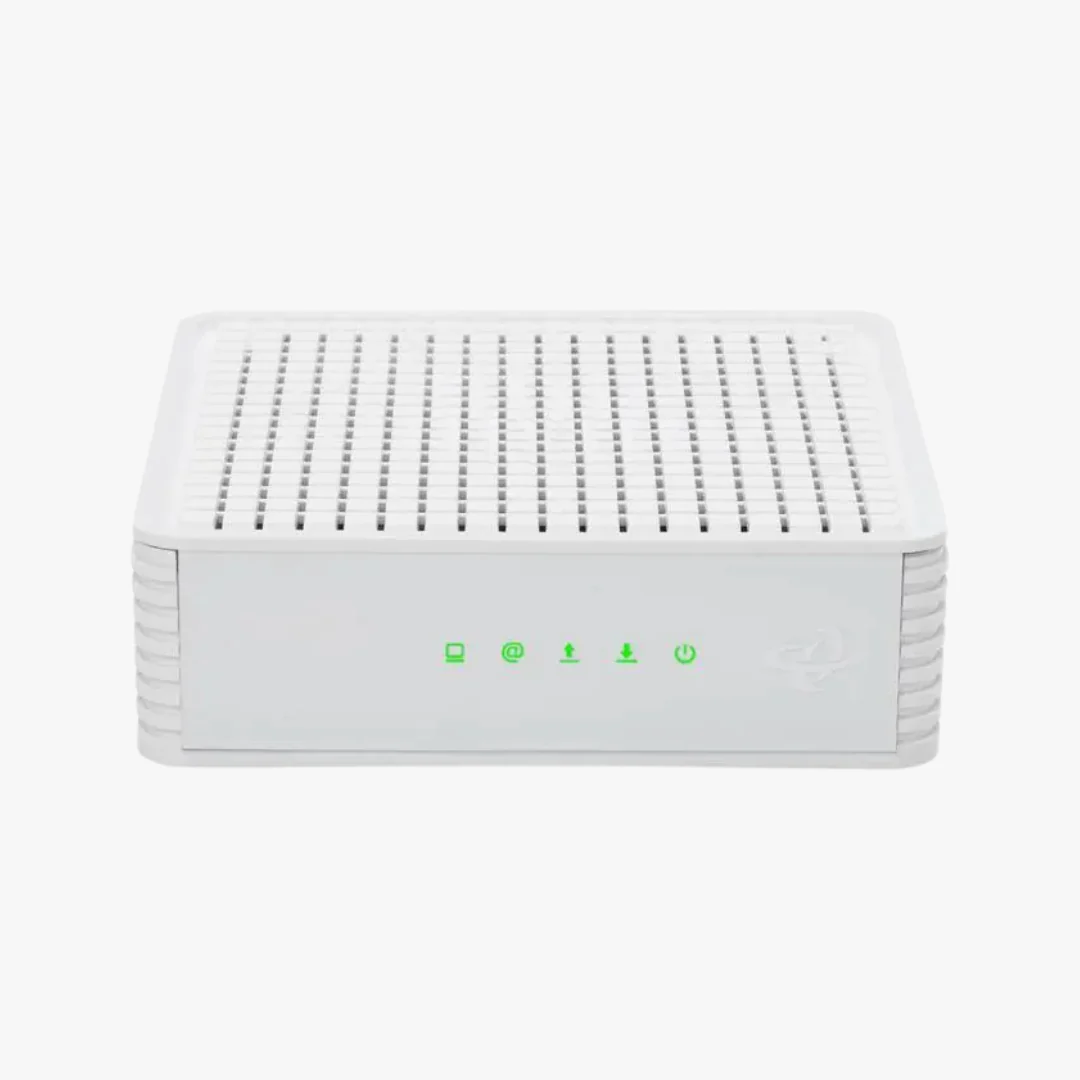
- Connect the power adapter and let the modem boot until the online indicator is solid.
- Connect an Ethernet cable from the CODA to the WAN or internet port on your router.
- Activate the modem using your ISP's app, website, or activation phone line.
If any status lights are blinking or off after activation, our Hitron modem lights guide explains what each light means and how to fix common connection issues.
Hitron CODA Specs
| Brand | Hitron |
| Model | CODA |
| DOCSIS Version | DOCSIS 3.1 (backward compatible with DOCSIS 3.0) |
| Channel Bonding | 32 downstream by 8 upstream |
| OFDM Channels | 2x2 |
| Maximum Download Speed | Up to 1 Gbps |
| Maximum Upload Speed | Up to 350 Mbps |
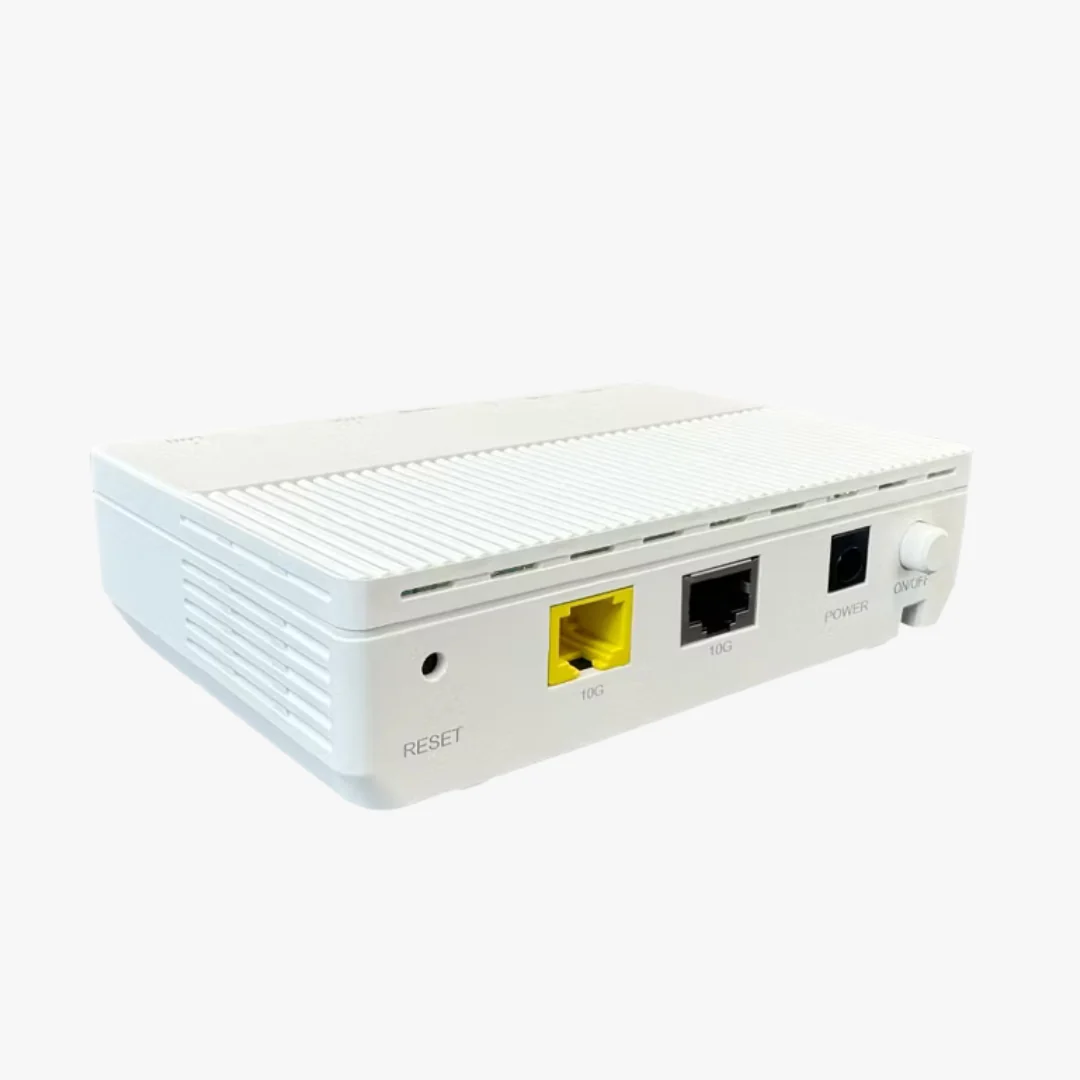
| Ethernet Ports | 2 x Gigabit Ethernet |
| Coaxial Connector | F-type |
| Built-in WiFi | No |
| Voice Support | No |
| Connection Type | Coaxial cable internet only |
| Dimensions | 6.73 in L x 6.73 in W x 2.03 in H |
| Warranty | 1 year limited |
| Support | 7 days per week from Hitron |
In the Box
- Hitron CODA cable modem
- Power adapter
- Ethernet cable
- Quick start guide
A coaxial cable is typically already attached to your wall outlet. If you need one, see our cable modem accessories collection.
Save on Modem Rental Fees
Many cable providers still charge a monthly equipment rental fee for the gateway they supply, often $10 to $15 per month. Rental fees vary, and some providers have reduced or eliminated them, so check your current bill before purchasing. When a rental fee does apply, owning the CODA typically pays for itself within the first year. Not sure whether your current modem is due for replacement? Our guide on how long modems last covers the warning signs.
Warranty and Support
The Hitron CODA is backed by a 1 year limited warranty and direct technical support from Hitron, available 7 days a week. Hitron has more than 30 years of experience designing modems for major North American internet service providers.
Frequently Asked Questions
Does the Hitron CODA have built-in WiFi?
No. The Hitron CODA is a modem only. It has no built-in WiFi, so you will need to connect it to a separate WiFi router or mesh system to use wireless devices.
What is the difference between the Hitron CODA and CODA56?
The CODA supports plans up to 1 Gbps with two Gigabit Ethernet ports. The CODA56 supports multi-gig plans up to 2.5 Gbps through a 2.5 GbE port. Choose the CODA for plans of 1 Gbps or less, and the CODA56 for anything faster.
Is the Hitron CODA good for a 500 Mbps plan?
Yes. The CODA handles 300, 500, and 800 Mbps tiers with plenty of headroom, and it supports Gigabit plans at full speed over Ethernet.
Is the Hitron CODA compatible with Xfinity?
Yes. The CODA is certified for Comcast Xfinity and Comcast Xfinity Business. Xfinity customers can self-activate the CODA through the Xfinity app without scheduling a technician visit.
Does the Hitron CODA work with Spectrum and Cox?
Yes. The CODA is certified for Charter Spectrum and for Cox Communications, including Cox Gigablast plans. It is also approved for CableOne Sparklight and Zito Media, and it works with Astound, Grande, RCN, and Wave.
Will the Hitron CODA work with fiber internet?
No. The CODA is a DOCSIS 3.1 cable modem and works only with coaxial cable internet service. It is not compatible with fiber providers like Verizon Fios, AT&T Fiber, or Google Fiber, and it will not work with DSL, satellite, or 5G home internet.
Does the Hitron CODA support phone or voice service?
No. The CODA does not include telephone ports and does not support voice or VoIP service from your cable provider.
How do I activate the Hitron CODA?
After connecting the coaxial cable, power, and an Ethernet cable to your router, contact your internet provider for activation. Many providers, including Xfinity, allow self-activation through their mobile app, so a service call is usually not required.
What do the lights on the Hitron CODA mean?
A solid online light means the modem is connected. Blinking downstream or upstream lights during boot are normal, but persistent blinking after activation usually points to a signal or provisioning issue. Our Hitron modem lights guide walks through each light and the fixes.
What is the warranty on the Hitron CODA?
The Hitron CODA comes with a 1 year limited warranty and access to Hitron technical support 7 days a week.
Product Information
Product Information
Shipping & Returns
Shipping & Returns

Hitron CODA DOCSIS 3.1 Cable Modem | 1 Gbps | Xfinity, Spectrum, Cox
Hitron CODA DOCSIS 3.1 Cable Modem | 1 Gbps | Xfinity, Spectrum, Cox
Hitron CODA DOCSIS 3.1 Cable Modem
The Hitron CODA is a retail DOCSIS 3.1 cable modem built for cable internet plans up to 1 Gbps. It replaces the gateway you rent from Xfinity, Spectrum, Cox, or Sparklight, eliminates the monthly equipment fee, and pairs with your own WiFi router or mesh system for wired Gigabit speeds throughout your home.
What the Hitron CODA Does
The CODA is a standalone cable modem, not a gateway. It converts the signal from your coaxial wall jack into a wired Ethernet connection for a separate WiFi router. It does not broadcast WiFi on its own, does not support phone or voice service, and does not include router features such as DHCP, parental controls, or guest networks. If you need wireless coverage for phones, laptops, smart TVs, or smart home devices, pair it with a router. For help choosing one, see our Best WiFi Routers for Gigabit Internet guide.
DOCSIS 3.1 Performance
DOCSIS 3.1 is the current cable internet standard and delivers meaningfully faster, more stable performance than the older DOCSIS 3.0 generation. The CODA combines 32x8 channel bonding (32 downstream and 8 upstream channels) with 2x2 OFDM channels for higher throughput, lower latency, and better reliability under load. That makes it a strong fit for 4K streaming, online gaming, video calls, and households with dozens of connected devices. For a look at how the CODA stacks up against other current modems, see our Best DOCSIS 3.1 Modems of 2026 roundup.
The CODA also includes DOCSIS 3.1 security features that protect your connection at the modem level.
Which Speed Plans Is the Hitron CODA Right For?
The CODA is designed for cable plans from 100 Mbps up to 1 Gbps download. It is a particularly good match for the popular 300, 500, and 800 Mbps tiers, and it handles Gigabit plans from Xfinity, Spectrum, and Cox Gigablast at full speed over Ethernet. If your provider offers a plan above 1 Gbps, such as Xfinity Gigabit x2 or Cox 2 Gig, step up to the Hitron CODA56 instead.
Hitron CODA vs CODA56
The CODA and CODA56 are both DOCSIS 3.1 modems from Hitron, and the difference comes down to speed ceiling and ports. The CODA tops out at 1 Gbps and uses two Gigabit Ethernet ports. The CODA56 supports multi-gig plans up to 2.5 Gbps through a single 2.5 GbE port. If your plan is 1 Gbps or slower, the CODA covers everything you need at a lower price. If you are on a multi-gig plan or expect to upgrade soon, the CODA56 is the better buy. See our Arris S33 vs Motorola MB8611 vs Hitron CODA56 comparison for a full multi-gig breakdown.
Hitron CODA Compatibility
The Hitron CODA is certified or approved for the following cable internet providers:
- Comcast Xfinity (residential and business)
- Charter Spectrum
- Cox Communications (including Cox Gigablast)
- CableOne Sparklight
- Zito Media
- Cogeco Breezeline
It also works with Astound, Grande, RCN, and Wave. Always confirm your provider supports customer-owned modems before purchasing. For provider-specific setup help, see our Xfinity activation guide, Spectrum activation guide, or Cox activation guide.
The CODA is not compatible with Verizon Fios, AT&T Fiber, Google Fiber, CenturyLink, Frontier, or any other fiber, DSL, satellite, or 5G home internet service. Check your wall jack before purchasing. The CODA works only with the round coaxial cable that screws on at the end.
What You Need for Setup
- Active cable internet service with a supported provider
- A coaxial wall outlet
- A separate WiFi router or mesh system (a router with a 2.5 Gbps WAN port is recommended to avoid bottlenecks on Gigabit plans)
- Your account information for activation through your ISP's app, website, or support line
Xfinity customers can self-activate through the Xfinity app without scheduling a service call. Most other major cable providers also offer app or online activation.
Setup Steps
- Connect the coaxial cable from your wall jack to the back of the CODA.
- Connect the power adapter and let the modem boot until the online indicator is solid.
- Connect an Ethernet cable from the CODA to the WAN or internet port on your router.
- Activate the modem using your ISP's app, website, or activation phone line.
If any status lights are blinking or off after activation, our Hitron modem lights guide explains what each light means and how to fix common connection issues.
Hitron CODA Specs
| Brand | Hitron |
| Model | CODA |
| DOCSIS Version | DOCSIS 3.1 (backward compatible with DOCSIS 3.0) |
| Channel Bonding | 32 downstream by 8 upstream |
| OFDM Channels | 2x2 |
| Maximum Download Speed | Up to 1 Gbps |
| Maximum Upload Speed | Up to 350 Mbps |
| Ethernet Ports | 2 x Gigabit Ethernet |
| Coaxial Connector | F-type |
| Built-in WiFi | No |
| Voice Support | No |
| Connection Type | Coaxial cable internet only |
| Dimensions | 6.73 in L x 6.73 in W x 2.03 in H |
| Warranty | 1 year limited |
| Support | 7 days per week from Hitron |
In the Box
- Hitron CODA cable modem
- Power adapter
- Ethernet cable
- Quick start guide
A coaxial cable is typically already attached to your wall outlet. If you need one, see our cable modem accessories collection.
Save on Modem Rental Fees
Many cable providers still charge a monthly equipment rental fee for the gateway they supply, often $10 to $15 per month. Rental fees vary, and some providers have reduced or eliminated them, so check your current bill before purchasing. When a rental fee does apply, owning the CODA typically pays for itself within the first year. Not sure whether your current modem is due for replacement? Our guide on how long modems last covers the warning signs.
Warranty and Support
The Hitron CODA is backed by a 1 year limited warranty and direct technical support from Hitron, available 7 days a week. Hitron has more than 30 years of experience designing modems for major North American internet service providers.
Frequently Asked Questions
Does the Hitron CODA have built-in WiFi?
No. The Hitron CODA is a modem only. It has no built-in WiFi, so you will need to connect it to a separate WiFi router or mesh system to use wireless devices.
What is the difference between the Hitron CODA and CODA56?
The CODA supports plans up to 1 Gbps with two Gigabit Ethernet ports. The CODA56 supports multi-gig plans up to 2.5 Gbps through a 2.5 GbE port. Choose the CODA for plans of 1 Gbps or less, and the CODA56 for anything faster.
Is the Hitron CODA good for a 500 Mbps plan?
Yes. The CODA handles 300, 500, and 800 Mbps tiers with plenty of headroom, and it supports Gigabit plans at full speed over Ethernet.
Is the Hitron CODA compatible with Xfinity?
Yes. The CODA is certified for Comcast Xfinity and Comcast Xfinity Business. Xfinity customers can self-activate the CODA through the Xfinity app without scheduling a technician visit.
Does the Hitron CODA work with Spectrum and Cox?
Yes. The CODA is certified for Charter Spectrum and for Cox Communications, including Cox Gigablast plans. It is also approved for CableOne Sparklight and Zito Media, and it works with Astound, Grande, RCN, and Wave.
Will the Hitron CODA work with fiber internet?
No. The CODA is a DOCSIS 3.1 cable modem and works only with coaxial cable internet service. It is not compatible with fiber providers like Verizon Fios, AT&T Fiber, or Google Fiber, and it will not work with DSL, satellite, or 5G home internet.
Does the Hitron CODA support phone or voice service?
No. The CODA does not include telephone ports and does not support voice or VoIP service from your cable provider.
How do I activate the Hitron CODA?
After connecting the coaxial cable, power, and an Ethernet cable to your router, contact your internet provider for activation. Many providers, including Xfinity, allow self-activation through their mobile app, so a service call is usually not required.
What do the lights on the Hitron CODA mean?
A solid online light means the modem is connected. Blinking downstream or upstream lights during boot are normal, but persistent blinking after activation usually points to a signal or provisioning issue. Our Hitron modem lights guide walks through each light and the fixes.
What is the warranty on the Hitron CODA?
The Hitron CODA comes with a 1 year limited warranty and access to Hitron technical support 7 days a week.
Original: $109.00
-65%$109.00
$38.15Product Information
Product Information
Shipping & Returns
Shipping & Returns
Description
Hitron CODA DOCSIS 3.1 Cable Modem
The Hitron CODA is a retail DOCSIS 3.1 cable modem built for cable internet plans up to 1 Gbps. It replaces the gateway you rent from Xfinity, Spectrum, Cox, or Sparklight, eliminates the monthly equipment fee, and pairs with your own WiFi router or mesh system for wired Gigabit speeds throughout your home.
What the Hitron CODA Does
The CODA is a standalone cable modem, not a gateway. It converts the signal from your coaxial wall jack into a wired Ethernet connection for a separate WiFi router. It does not broadcast WiFi on its own, does not support phone or voice service, and does not include router features such as DHCP, parental controls, or guest networks. If you need wireless coverage for phones, laptops, smart TVs, or smart home devices, pair it with a router. For help choosing one, see our Best WiFi Routers for Gigabit Internet guide.
DOCSIS 3.1 Performance
DOCSIS 3.1 is the current cable internet standard and delivers meaningfully faster, more stable performance than the older DOCSIS 3.0 generation. The CODA combines 32x8 channel bonding (32 downstream and 8 upstream channels) with 2x2 OFDM channels for higher throughput, lower latency, and better reliability under load. That makes it a strong fit for 4K streaming, online gaming, video calls, and households with dozens of connected devices. For a look at how the CODA stacks up against other current modems, see our Best DOCSIS 3.1 Modems of 2026 roundup.
The CODA also includes DOCSIS 3.1 security features that protect your connection at the modem level.
Which Speed Plans Is the Hitron CODA Right For?
The CODA is designed for cable plans from 100 Mbps up to 1 Gbps download. It is a particularly good match for the popular 300, 500, and 800 Mbps tiers, and it handles Gigabit plans from Xfinity, Spectrum, and Cox Gigablast at full speed over Ethernet. If your provider offers a plan above 1 Gbps, such as Xfinity Gigabit x2 or Cox 2 Gig, step up to the Hitron CODA56 instead.
Hitron CODA vs CODA56
The CODA and CODA56 are both DOCSIS 3.1 modems from Hitron, and the difference comes down to speed ceiling and ports. The CODA tops out at 1 Gbps and uses two Gigabit Ethernet ports. The CODA56 supports multi-gig plans up to 2.5 Gbps through a single 2.5 GbE port. If your plan is 1 Gbps or slower, the CODA covers everything you need at a lower price. If you are on a multi-gig plan or expect to upgrade soon, the CODA56 is the better buy. See our Arris S33 vs Motorola MB8611 vs Hitron CODA56 comparison for a full multi-gig breakdown.
Hitron CODA Compatibility
The Hitron CODA is certified or approved for the following cable internet providers:
- Comcast Xfinity (residential and business)
- Charter Spectrum
- Cox Communications (including Cox Gigablast)
- CableOne Sparklight
- Zito Media
- Cogeco Breezeline
It also works with Astound, Grande, RCN, and Wave. Always confirm your provider supports customer-owned modems before purchasing. For provider-specific setup help, see our Xfinity activation guide, Spectrum activation guide, or Cox activation guide.
The CODA is not compatible with Verizon Fios, AT&T Fiber, Google Fiber, CenturyLink, Frontier, or any other fiber, DSL, satellite, or 5G home internet service. Check your wall jack before purchasing. The CODA works only with the round coaxial cable that screws on at the end.
What You Need for Setup
- Active cable internet service with a supported provider
- A coaxial wall outlet
- A separate WiFi router or mesh system (a router with a 2.5 Gbps WAN port is recommended to avoid bottlenecks on Gigabit plans)
- Your account information for activation through your ISP's app, website, or support line
Xfinity customers can self-activate through the Xfinity app without scheduling a service call. Most other major cable providers also offer app or online activation.
Setup Steps
- Connect the coaxial cable from your wall jack to the back of the CODA.
- Connect the power adapter and let the modem boot until the online indicator is solid.
- Connect an Ethernet cable from the CODA to the WAN or internet port on your router.
- Activate the modem using your ISP's app, website, or activation phone line.
If any status lights are blinking or off after activation, our Hitron modem lights guide explains what each light means and how to fix common connection issues.
Hitron CODA Specs
| Brand | Hitron |
| Model | CODA |
| DOCSIS Version | DOCSIS 3.1 (backward compatible with DOCSIS 3.0) |
| Channel Bonding | 32 downstream by 8 upstream |
| OFDM Channels | 2x2 |
| Maximum Download Speed | Up to 1 Gbps |
| Maximum Upload Speed | Up to 350 Mbps |
| Ethernet Ports | 2 x Gigabit Ethernet |
| Coaxial Connector | F-type |
| Built-in WiFi | No |
| Voice Support | No |
| Connection Type | Coaxial cable internet only |
| Dimensions | 6.73 in L x 6.73 in W x 2.03 in H |
| Warranty | 1 year limited |
| Support | 7 days per week from Hitron |
In the Box
- Hitron CODA cable modem
- Power adapter
- Ethernet cable
- Quick start guide
A coaxial cable is typically already attached to your wall outlet. If you need one, see our cable modem accessories collection.
Save on Modem Rental Fees
Many cable providers still charge a monthly equipment rental fee for the gateway they supply, often $10 to $15 per month. Rental fees vary, and some providers have reduced or eliminated them, so check your current bill before purchasing. When a rental fee does apply, owning the CODA typically pays for itself within the first year. Not sure whether your current modem is due for replacement? Our guide on how long modems last covers the warning signs.
Warranty and Support
The Hitron CODA is backed by a 1 year limited warranty and direct technical support from Hitron, available 7 days a week. Hitron has more than 30 years of experience designing modems for major North American internet service providers.
Frequently Asked Questions
Does the Hitron CODA have built-in WiFi?
No. The Hitron CODA is a modem only. It has no built-in WiFi, so you will need to connect it to a separate WiFi router or mesh system to use wireless devices.
What is the difference between the Hitron CODA and CODA56?
The CODA supports plans up to 1 Gbps with two Gigabit Ethernet ports. The CODA56 supports multi-gig plans up to 2.5 Gbps through a 2.5 GbE port. Choose the CODA for plans of 1 Gbps or less, and the CODA56 for anything faster.
Is the Hitron CODA good for a 500 Mbps plan?
Yes. The CODA handles 300, 500, and 800 Mbps tiers with plenty of headroom, and it supports Gigabit plans at full speed over Ethernet.
Is the Hitron CODA compatible with Xfinity?
Yes. The CODA is certified for Comcast Xfinity and Comcast Xfinity Business. Xfinity customers can self-activate the CODA through the Xfinity app without scheduling a technician visit.
Does the Hitron CODA work with Spectrum and Cox?
Yes. The CODA is certified for Charter Spectrum and for Cox Communications, including Cox Gigablast plans. It is also approved for CableOne Sparklight and Zito Media, and it works with Astound, Grande, RCN, and Wave.
Will the Hitron CODA work with fiber internet?
No. The CODA is a DOCSIS 3.1 cable modem and works only with coaxial cable internet service. It is not compatible with fiber providers like Verizon Fios, AT&T Fiber, or Google Fiber, and it will not work with DSL, satellite, or 5G home internet.
Does the Hitron CODA support phone or voice service?
No. The CODA does not include telephone ports and does not support voice or VoIP service from your cable provider.
How do I activate the Hitron CODA?
After connecting the coaxial cable, power, and an Ethernet cable to your router, contact your internet provider for activation. Many providers, including Xfinity, allow self-activation through their mobile app, so a service call is usually not required.
What do the lights on the Hitron CODA mean?
A solid online light means the modem is connected. Blinking downstream or upstream lights during boot are normal, but persistent blinking after activation usually points to a signal or provisioning issue. Our Hitron modem lights guide walks through each light and the fixes.
What is the warranty on the Hitron CODA?
The Hitron CODA comes with a 1 year limited warranty and access to Hitron technical support 7 days a week.