Verizon Fios G3100 Router | Tri-Band WiFi 6, MoCA 2.5
Bulk Discount: Buy 10, get 10% off, applied automatically at checkout. Browse bulk deals
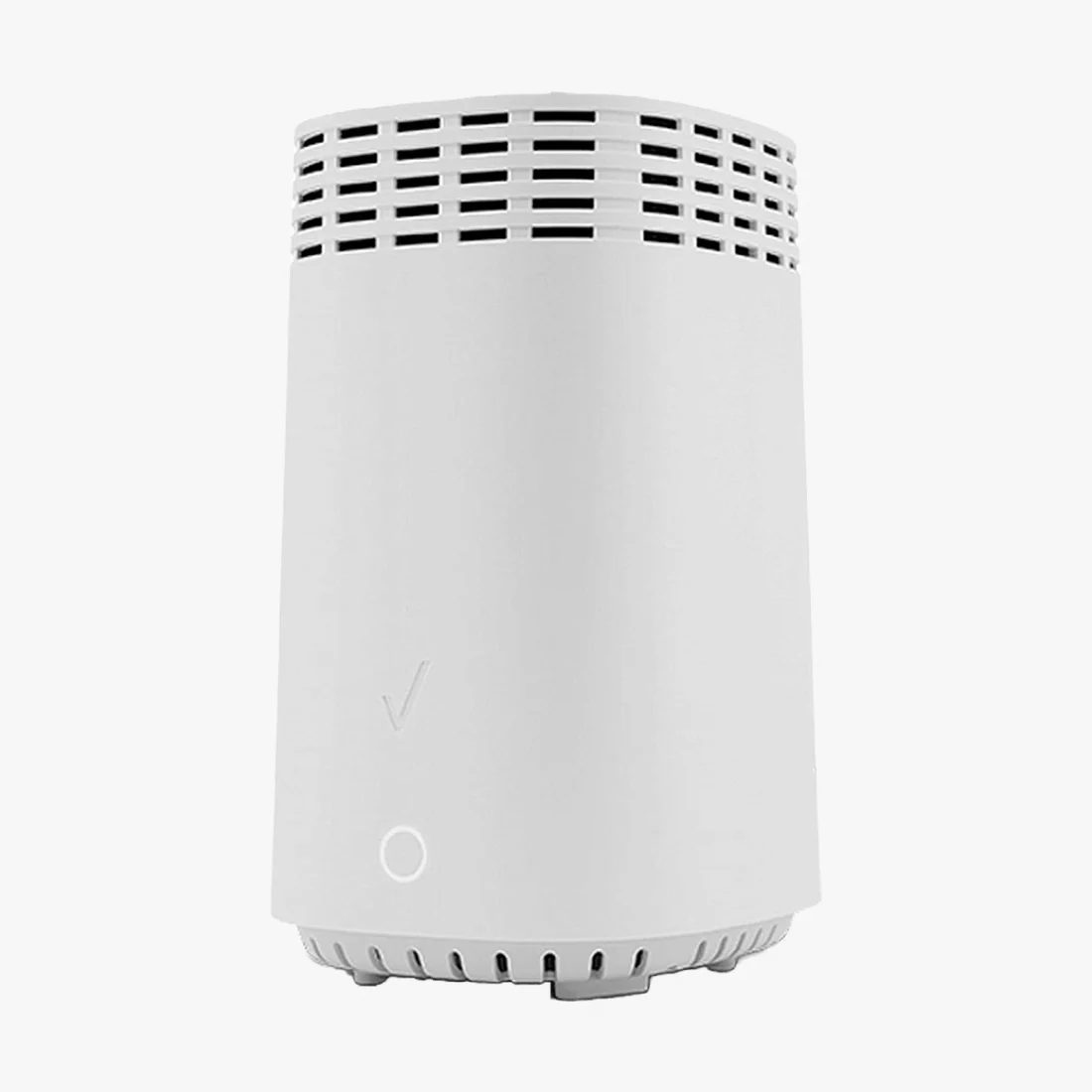
The renewed Verizon Fios G3100 is a tri-band WiFi 6 home router built for Verizon Fios internet service. With MoCA 2.5 coaxial networking, WPA3 encryption, and three wireless bands running 4x4 MU-MIMO, the G3100 delivers fast, reliable coverage for streaming, gaming, video calls, and smart home devices throughout your home. Every unit is professionally tested and backed by our 90-day full coverage warranty.
Key Takeaways
- Tri-band WiFi 6 (802.11ax) with one 2.4 GHz and two 5 GHz bands, all 4x4 MU-MIMO, backward compatible with 802.11a/b/g/n/ac devices.
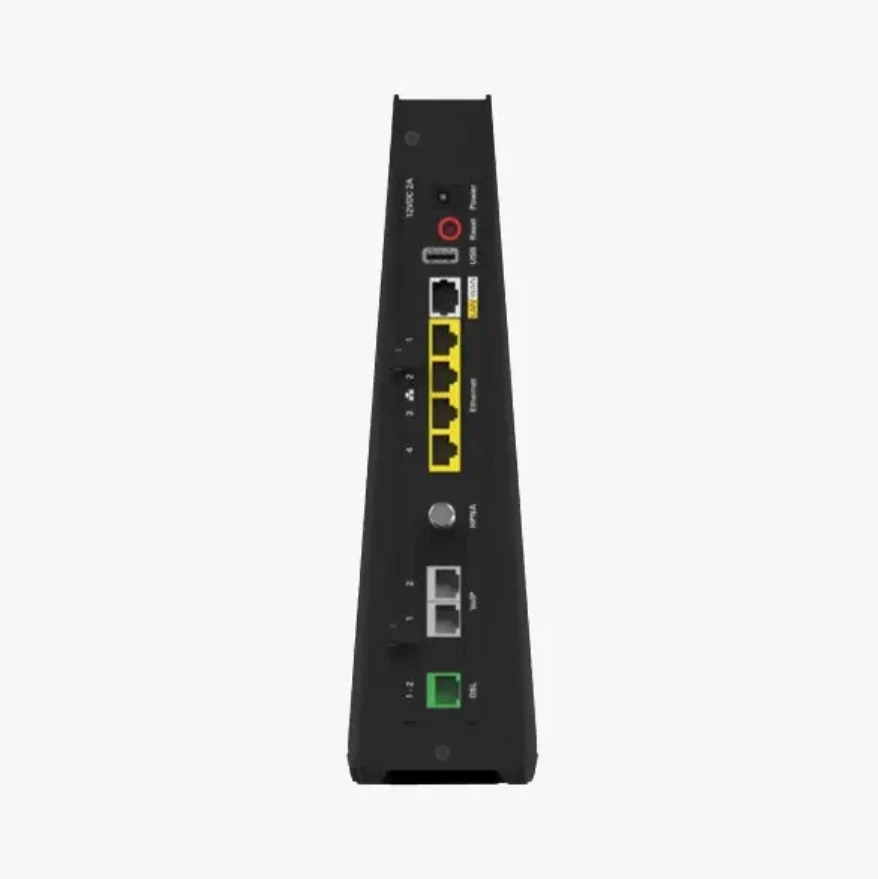
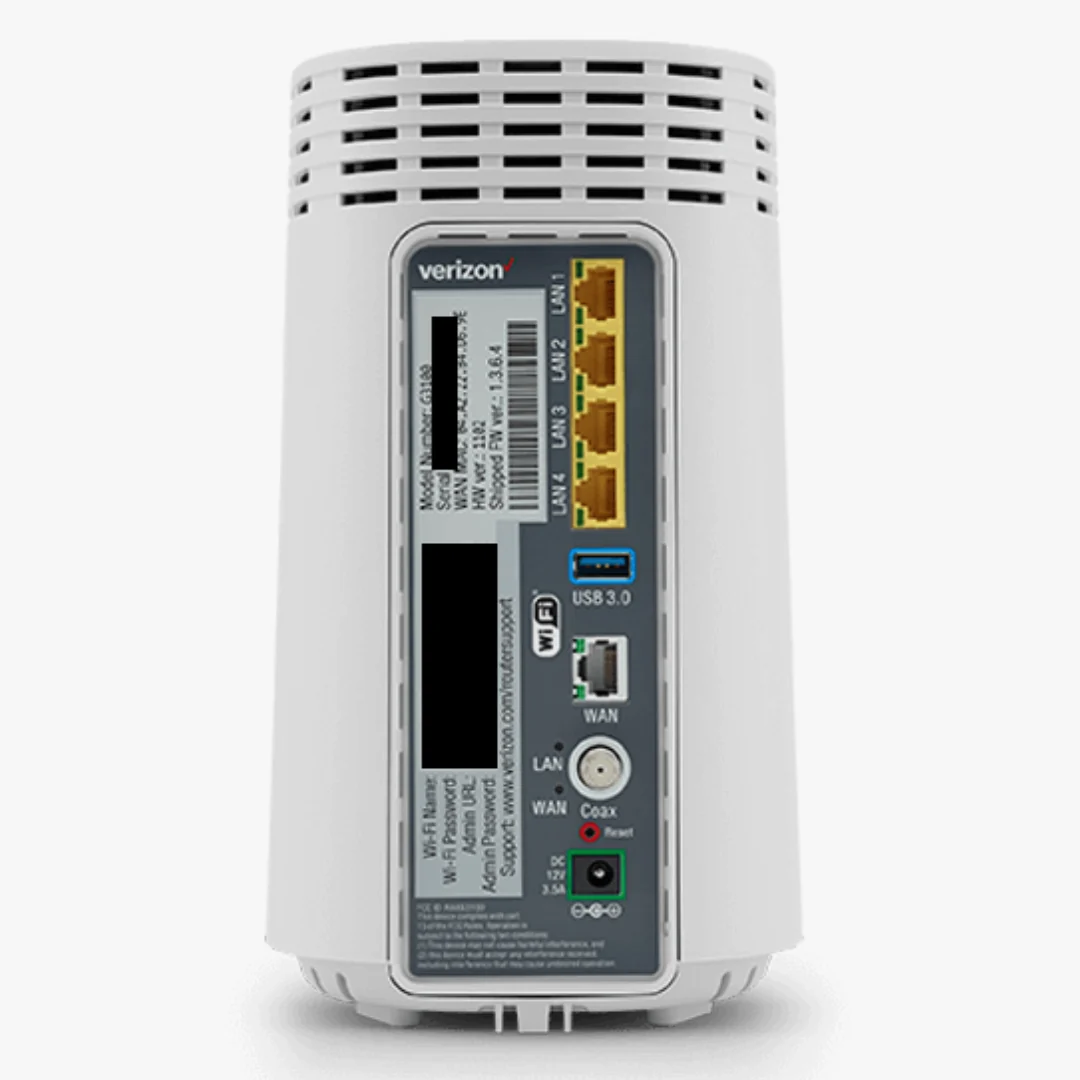
- MoCA 2.5 LAN up to 2500 Mbps over existing coax, plus four Gigabit Ethernet LAN ports, a Gigabit WAN port, USB 3.0, and Bluetooth for IoT pairing.
- Built for Verizon Fios: connects to your Fios ONT and is managed through the My Fios app or web interface.
- Replaces the router Verizon rents, and is Renewed with a 90-day full coverage warranty and USA-based support.
Is the G3100 Compatible with My Internet Service?
The G3100 is designed for and compatible with Verizon Fios internet service in most areas. It is the router Verizon itself supplied for Fios plans, so activation is straightforward. If you are unsure whether your specific Fios plan supports the G3100, confirm with Verizon before ordering.
The G3100 is a router, not a modem. On Fios, your fiber connection terminates at the Verizon ONT (the small box Verizon installed), and the G3100 connects to that ONT by Ethernet or coax. It is not a fit for cable internet (Xfinity, Spectrum, Cox), DSL providers, or satellite service.
Connect by Ethernet or Coax?
The G3100 can take its internet connection from the ONT two ways, and the choice matters. The Gigabit Ethernet WAN port supports full-speed Fios plans, while the MoCA 1.1 WAN over coax tops out at 100 Mbps. If your plan is faster than 100 Mbps, connect the ONT to the G3100 with Ethernet. The separate MoCA 2.5 LAN side is a different story: it runs up to 2500 Mbps over your home's existing coax lines, which is excellent for hardwiring set-top boxes or extenders in rooms without Ethernet runs.
WiFi 6 Performance
Tri-band WiFi 6 gives the G3100 a dedicated second 5 GHz band, so busy households can spread devices across three radios instead of two. All bands run 4x4 MU-MIMO for stable simultaneous streaming, gaming, and video calls, and backward compatibility means older laptops, phones, and smart home gear connect without issues.
Security and Network Features
The G3100 includes WPA3 and WPA2 wireless encryption, a customizable firewall, content filtering, and intrusion detection. It also supports static NAT, port forwarding, port triggering, MAC address filtering, access control, and WiFi Multimedia (WMM) for quality-of-service prioritization.
Management and Setup
Manage the G3100 through the My Fios app, the built-in web interface, or TR-069 remote management. The app lets you monitor connected devices, run speed tests, adjust WiFi settings, and set up parental controls from your phone. For a full walkthrough covering activation, WiFi setup, password changes, and fixes for blinking lights and connection drops, see our Verizon Fios G3100 Setup Guide.
Verizon Fios G3100 Specs at a Glance
| WiFi | Tri-band WiFi 6 (802.11ax): 1x 2.4 GHz + 2x 5 GHz, 4x4 MU-MIMO |
| Backward Compatibility | 802.11 a/b/g/n/ac devices |
| MoCA | MoCA 2.5 LAN up to 2500 Mbps; MoCA 1.1 WAN up to 100 Mbps |
| Ethernet Ports | 4x Gigabit LAN + 1x Gigabit WAN |
| Other Ports | USB 3.0; built-in Bluetooth for IoT pairing |
| Security | WPA3/WPA2, firewall, content filtering, intrusion detection |
| Network Features | Static NAT, port forwarding/triggering, MAC filtering, WMM QoS |
| Management | My Fios app, web interface, TR-069 |
| Compatible Service | Verizon Fios |
| Condition | Renewed, professionally inspected and tested |
Stop Renting Your Fios Router
Verizon charges a monthly fee to rent its router on many Fios plans, often around $18 per month, which can top $200 a year for equipment you could own. Some newer plans bundle the router, so check your bill to see what you are paying. If you are renting, this renewed G3100 typically pays for itself in under six months. If your current router is aging or dropping connections, our guide on how long modems and routers last covers the warning signs.
What's in the Box
- Verizon Fios G3100 router (Renewed)
- Ethernet cable
- Power supply cable
- Online installation manual
Why Buy the Verizon Fios G3100 from ModemGuides
- 90-day full coverage warranty on every router we sell, including this renewed G3100.
- USA-based customer service and tech support staffed by people who actually know networking gear.
- Fast shipping from US warehouses, so most orders arrive in 1 to 3 business days.
- Curated, ISP-compatible inventory: we only stock equipment that works on real plans, with clear compatibility notes on every listing.
- Setup and troubleshooting guides available across ModemGuides.com, including a dedicated G3100 setup guide.
- Small US business that puts customer experience first, with real humans answering your questions.
Verizon Fios G3100 Frequently Asked Questions
Is the G3100 compatible with Verizon Fios?
Yes. The G3100 is designed for Verizon Fios and was supplied by Verizon itself for Fios plans, so it activates smoothly in most areas. Confirm your specific plan with Verizon if you are unsure.
Is the G3100 a modem or a router?
The G3100 is a router. On Fios, the fiber connection terminates at your Verizon ONT, and the G3100 connects to that ONT by Ethernet or coax to distribute internet through your home.
Should I connect the G3100 to my ONT with Ethernet or coax?
Use Ethernet if your plan is faster than 100 Mbps. The G3100's Ethernet WAN supports Gigabit speeds, while its MoCA WAN over coax is limited to 100 Mbps. The MoCA 2.5 LAN side is separate and runs up to 2500 Mbps for in-home coax networking.
What is MoCA 2.5 and why does it matter?
MoCA 2.5 turns your home's existing coax wiring into a high-speed wired network, up to 2500 Mbps. It is ideal for hardwiring set-top boxes, extenders, or devices in rooms without Ethernet runs.
Does the G3100 support WiFi 6?
Yes. The G3100 is a tri-band WiFi 6 (802.11ax) router with one 2.4 GHz band and two 5 GHz bands, all running 4x4 MU-MIMO, and it remains backward compatible with older WiFi devices.
Can I manage the G3100 from my phone?
Yes. The My Fios app lets you monitor connected devices, run speed tests, adjust WiFi settings, and manage parental controls. A built-in web interface covers advanced settings.
Will the G3100 work with Xfinity, Spectrum, or DSL internet?
No. The G3100 is built for Verizon Fios fiber service and is not compatible with cable, DSL, satellite, or 5G home internet providers.
How do I set up the G3100?
Connect the G3100 to your Verizon ONT (Ethernet recommended), plug in power, and follow the guided activation. Our Verizon Fios G3100 Setup Guide covers the full process, including WiFi changes and fixes for blinking lights and connection drops.
Is this G3100 new or refurbished?
This G3100 is a Renewed unit that has been professionally inspected and tested, backed by our 90-day full coverage warranty.
What happens if the router stops working?
If anything goes wrong within the first 90 days, contact our USA-based support team and we will troubleshoot, replace, or refund. We stand behind every router we ship.
Product Information
Product Information
Shipping & Returns
Shipping & Returns
Verizon Fios G3100 Router | Tri-Band WiFi 6, MoCA 2.5
Verizon Fios G3100 Router | Tri-Band WiFi 6, MoCA 2.5
Bulk Discount: Buy 10, get 10% off, applied automatically at checkout. Browse bulk deals
The renewed Verizon Fios G3100 is a tri-band WiFi 6 home router built for Verizon Fios internet service. With MoCA 2.5 coaxial networking, WPA3 encryption, and three wireless bands running 4x4 MU-MIMO, the G3100 delivers fast, reliable coverage for streaming, gaming, video calls, and smart home devices throughout your home. Every unit is professionally tested and backed by our 90-day full coverage warranty.
Key Takeaways
- Tri-band WiFi 6 (802.11ax) with one 2.4 GHz and two 5 GHz bands, all 4x4 MU-MIMO, backward compatible with 802.11a/b/g/n/ac devices.
- MoCA 2.5 LAN up to 2500 Mbps over existing coax, plus four Gigabit Ethernet LAN ports, a Gigabit WAN port, USB 3.0, and Bluetooth for IoT pairing.
- Built for Verizon Fios: connects to your Fios ONT and is managed through the My Fios app or web interface.
- Replaces the router Verizon rents, and is Renewed with a 90-day full coverage warranty and USA-based support.
Is the G3100 Compatible with My Internet Service?
The G3100 is designed for and compatible with Verizon Fios internet service in most areas. It is the router Verizon itself supplied for Fios plans, so activation is straightforward. If you are unsure whether your specific Fios plan supports the G3100, confirm with Verizon before ordering.
The G3100 is a router, not a modem. On Fios, your fiber connection terminates at the Verizon ONT (the small box Verizon installed), and the G3100 connects to that ONT by Ethernet or coax. It is not a fit for cable internet (Xfinity, Spectrum, Cox), DSL providers, or satellite service.
Connect by Ethernet or Coax?
The G3100 can take its internet connection from the ONT two ways, and the choice matters. The Gigabit Ethernet WAN port supports full-speed Fios plans, while the MoCA 1.1 WAN over coax tops out at 100 Mbps. If your plan is faster than 100 Mbps, connect the ONT to the G3100 with Ethernet. The separate MoCA 2.5 LAN side is a different story: it runs up to 2500 Mbps over your home's existing coax lines, which is excellent for hardwiring set-top boxes or extenders in rooms without Ethernet runs.
WiFi 6 Performance
Tri-band WiFi 6 gives the G3100 a dedicated second 5 GHz band, so busy households can spread devices across three radios instead of two. All bands run 4x4 MU-MIMO for stable simultaneous streaming, gaming, and video calls, and backward compatibility means older laptops, phones, and smart home gear connect without issues.
Security and Network Features
The G3100 includes WPA3 and WPA2 wireless encryption, a customizable firewall, content filtering, and intrusion detection. It also supports static NAT, port forwarding, port triggering, MAC address filtering, access control, and WiFi Multimedia (WMM) for quality-of-service prioritization.
Management and Setup
Manage the G3100 through the My Fios app, the built-in web interface, or TR-069 remote management. The app lets you monitor connected devices, run speed tests, adjust WiFi settings, and set up parental controls from your phone. For a full walkthrough covering activation, WiFi setup, password changes, and fixes for blinking lights and connection drops, see our Verizon Fios G3100 Setup Guide.
Verizon Fios G3100 Specs at a Glance
| WiFi | Tri-band WiFi 6 (802.11ax): 1x 2.4 GHz + 2x 5 GHz, 4x4 MU-MIMO |
| Backward Compatibility | 802.11 a/b/g/n/ac devices |
| MoCA | MoCA 2.5 LAN up to 2500 Mbps; MoCA 1.1 WAN up to 100 Mbps |
| Ethernet Ports | 4x Gigabit LAN + 1x Gigabit WAN |
| Other Ports | USB 3.0; built-in Bluetooth for IoT pairing |
| Security | WPA3/WPA2, firewall, content filtering, intrusion detection |
| Network Features | Static NAT, port forwarding/triggering, MAC filtering, WMM QoS |
| Management | My Fios app, web interface, TR-069 |
| Compatible Service | Verizon Fios |
| Condition | Renewed, professionally inspected and tested |
Stop Renting Your Fios Router
Verizon charges a monthly fee to rent its router on many Fios plans, often around $18 per month, which can top $200 a year for equipment you could own. Some newer plans bundle the router, so check your bill to see what you are paying. If you are renting, this renewed G3100 typically pays for itself in under six months. If your current router is aging or dropping connections, our guide on how long modems and routers last covers the warning signs.
What's in the Box
- Verizon Fios G3100 router (Renewed)
- Ethernet cable
- Power supply cable
- Online installation manual
Why Buy the Verizon Fios G3100 from ModemGuides
- 90-day full coverage warranty on every router we sell, including this renewed G3100.
- USA-based customer service and tech support staffed by people who actually know networking gear.
- Fast shipping from US warehouses, so most orders arrive in 1 to 3 business days.
- Curated, ISP-compatible inventory: we only stock equipment that works on real plans, with clear compatibility notes on every listing.
- Setup and troubleshooting guides available across ModemGuides.com, including a dedicated G3100 setup guide.
- Small US business that puts customer experience first, with real humans answering your questions.
Verizon Fios G3100 Frequently Asked Questions
Is the G3100 compatible with Verizon Fios?
Yes. The G3100 is designed for Verizon Fios and was supplied by Verizon itself for Fios plans, so it activates smoothly in most areas. Confirm your specific plan with Verizon if you are unsure.
Is the G3100 a modem or a router?
The G3100 is a router. On Fios, the fiber connection terminates at your Verizon ONT, and the G3100 connects to that ONT by Ethernet or coax to distribute internet through your home.
Should I connect the G3100 to my ONT with Ethernet or coax?
Use Ethernet if your plan is faster than 100 Mbps. The G3100's Ethernet WAN supports Gigabit speeds, while its MoCA WAN over coax is limited to 100 Mbps. The MoCA 2.5 LAN side is separate and runs up to 2500 Mbps for in-home coax networking.
What is MoCA 2.5 and why does it matter?
MoCA 2.5 turns your home's existing coax wiring into a high-speed wired network, up to 2500 Mbps. It is ideal for hardwiring set-top boxes, extenders, or devices in rooms without Ethernet runs.
Does the G3100 support WiFi 6?
Yes. The G3100 is a tri-band WiFi 6 (802.11ax) router with one 2.4 GHz band and two 5 GHz bands, all running 4x4 MU-MIMO, and it remains backward compatible with older WiFi devices.
Can I manage the G3100 from my phone?
Yes. The My Fios app lets you monitor connected devices, run speed tests, adjust WiFi settings, and manage parental controls. A built-in web interface covers advanced settings.
Will the G3100 work with Xfinity, Spectrum, or DSL internet?
No. The G3100 is built for Verizon Fios fiber service and is not compatible with cable, DSL, satellite, or 5G home internet providers.
How do I set up the G3100?
Connect the G3100 to your Verizon ONT (Ethernet recommended), plug in power, and follow the guided activation. Our Verizon Fios G3100 Setup Guide covers the full process, including WiFi changes and fixes for blinking lights and connection drops.
Is this G3100 new or refurbished?
This G3100 is a Renewed unit that has been professionally inspected and tested, backed by our 90-day full coverage warranty.
What happens if the router stops working?
If anything goes wrong within the first 90 days, contact our USA-based support team and we will troubleshoot, replace, or refund. We stand behind every router we ship.
Original: $88.49
-65%$88.49
$30.97Product Information
Product Information
Shipping & Returns
Shipping & Returns
Description
Bulk Discount: Buy 10, get 10% off, applied automatically at checkout. Browse bulk deals
The renewed Verizon Fios G3100 is a tri-band WiFi 6 home router built for Verizon Fios internet service. With MoCA 2.5 coaxial networking, WPA3 encryption, and three wireless bands running 4x4 MU-MIMO, the G3100 delivers fast, reliable coverage for streaming, gaming, video calls, and smart home devices throughout your home. Every unit is professionally tested and backed by our 90-day full coverage warranty.
Key Takeaways
- Tri-band WiFi 6 (802.11ax) with one 2.4 GHz and two 5 GHz bands, all 4x4 MU-MIMO, backward compatible with 802.11a/b/g/n/ac devices.
- MoCA 2.5 LAN up to 2500 Mbps over existing coax, plus four Gigabit Ethernet LAN ports, a Gigabit WAN port, USB 3.0, and Bluetooth for IoT pairing.
- Built for Verizon Fios: connects to your Fios ONT and is managed through the My Fios app or web interface.
- Replaces the router Verizon rents, and is Renewed with a 90-day full coverage warranty and USA-based support.
Is the G3100 Compatible with My Internet Service?
The G3100 is designed for and compatible with Verizon Fios internet service in most areas. It is the router Verizon itself supplied for Fios plans, so activation is straightforward. If you are unsure whether your specific Fios plan supports the G3100, confirm with Verizon before ordering.
The G3100 is a router, not a modem. On Fios, your fiber connection terminates at the Verizon ONT (the small box Verizon installed), and the G3100 connects to that ONT by Ethernet or coax. It is not a fit for cable internet (Xfinity, Spectrum, Cox), DSL providers, or satellite service.
Connect by Ethernet or Coax?
The G3100 can take its internet connection from the ONT two ways, and the choice matters. The Gigabit Ethernet WAN port supports full-speed Fios plans, while the MoCA 1.1 WAN over coax tops out at 100 Mbps. If your plan is faster than 100 Mbps, connect the ONT to the G3100 with Ethernet. The separate MoCA 2.5 LAN side is a different story: it runs up to 2500 Mbps over your home's existing coax lines, which is excellent for hardwiring set-top boxes or extenders in rooms without Ethernet runs.
WiFi 6 Performance
Tri-band WiFi 6 gives the G3100 a dedicated second 5 GHz band, so busy households can spread devices across three radios instead of two. All bands run 4x4 MU-MIMO for stable simultaneous streaming, gaming, and video calls, and backward compatibility means older laptops, phones, and smart home gear connect without issues.
Security and Network Features
The G3100 includes WPA3 and WPA2 wireless encryption, a customizable firewall, content filtering, and intrusion detection. It also supports static NAT, port forwarding, port triggering, MAC address filtering, access control, and WiFi Multimedia (WMM) for quality-of-service prioritization.
Management and Setup
Manage the G3100 through the My Fios app, the built-in web interface, or TR-069 remote management. The app lets you monitor connected devices, run speed tests, adjust WiFi settings, and set up parental controls from your phone. For a full walkthrough covering activation, WiFi setup, password changes, and fixes for blinking lights and connection drops, see our Verizon Fios G3100 Setup Guide.
Verizon Fios G3100 Specs at a Glance
| WiFi | Tri-band WiFi 6 (802.11ax): 1x 2.4 GHz + 2x 5 GHz, 4x4 MU-MIMO |
| Backward Compatibility | 802.11 a/b/g/n/ac devices |
| MoCA | MoCA 2.5 LAN up to 2500 Mbps; MoCA 1.1 WAN up to 100 Mbps |
| Ethernet Ports | 4x Gigabit LAN + 1x Gigabit WAN |
| Other Ports | USB 3.0; built-in Bluetooth for IoT pairing |
| Security | WPA3/WPA2, firewall, content filtering, intrusion detection |
| Network Features | Static NAT, port forwarding/triggering, MAC filtering, WMM QoS |
| Management | My Fios app, web interface, TR-069 |
| Compatible Service | Verizon Fios |
| Condition | Renewed, professionally inspected and tested |
Stop Renting Your Fios Router
Verizon charges a monthly fee to rent its router on many Fios plans, often around $18 per month, which can top $200 a year for equipment you could own. Some newer plans bundle the router, so check your bill to see what you are paying. If you are renting, this renewed G3100 typically pays for itself in under six months. If your current router is aging or dropping connections, our guide on how long modems and routers last covers the warning signs.
What's in the Box
- Verizon Fios G3100 router (Renewed)
- Ethernet cable
- Power supply cable
- Online installation manual
Why Buy the Verizon Fios G3100 from ModemGuides
- 90-day full coverage warranty on every router we sell, including this renewed G3100.
- USA-based customer service and tech support staffed by people who actually know networking gear.
- Fast shipping from US warehouses, so most orders arrive in 1 to 3 business days.
- Curated, ISP-compatible inventory: we only stock equipment that works on real plans, with clear compatibility notes on every listing.
- Setup and troubleshooting guides available across ModemGuides.com, including a dedicated G3100 setup guide.
- Small US business that puts customer experience first, with real humans answering your questions.
Verizon Fios G3100 Frequently Asked Questions
Is the G3100 compatible with Verizon Fios?
Yes. The G3100 is designed for Verizon Fios and was supplied by Verizon itself for Fios plans, so it activates smoothly in most areas. Confirm your specific plan with Verizon if you are unsure.
Is the G3100 a modem or a router?
The G3100 is a router. On Fios, the fiber connection terminates at your Verizon ONT, and the G3100 connects to that ONT by Ethernet or coax to distribute internet through your home.
Should I connect the G3100 to my ONT with Ethernet or coax?
Use Ethernet if your plan is faster than 100 Mbps. The G3100's Ethernet WAN supports Gigabit speeds, while its MoCA WAN over coax is limited to 100 Mbps. The MoCA 2.5 LAN side is separate and runs up to 2500 Mbps for in-home coax networking.
What is MoCA 2.5 and why does it matter?
MoCA 2.5 turns your home's existing coax wiring into a high-speed wired network, up to 2500 Mbps. It is ideal for hardwiring set-top boxes, extenders, or devices in rooms without Ethernet runs.
Does the G3100 support WiFi 6?
Yes. The G3100 is a tri-band WiFi 6 (802.11ax) router with one 2.4 GHz band and two 5 GHz bands, all running 4x4 MU-MIMO, and it remains backward compatible with older WiFi devices.
Can I manage the G3100 from my phone?
Yes. The My Fios app lets you monitor connected devices, run speed tests, adjust WiFi settings, and manage parental controls. A built-in web interface covers advanced settings.
Will the G3100 work with Xfinity, Spectrum, or DSL internet?
No. The G3100 is built for Verizon Fios fiber service and is not compatible with cable, DSL, satellite, or 5G home internet providers.
How do I set up the G3100?
Connect the G3100 to your Verizon ONT (Ethernet recommended), plug in power, and follow the guided activation. Our Verizon Fios G3100 Setup Guide covers the full process, including WiFi changes and fixes for blinking lights and connection drops.
Is this G3100 new or refurbished?
This G3100 is a Renewed unit that has been professionally inspected and tested, backed by our 90-day full coverage warranty.
What happens if the router stops working?
If anything goes wrong within the first 90 days, contact our USA-based support team and we will troubleshoot, replace, or refund. We stand behind every router we ship.